Audience
Your attendees belong to you.
Every buyer who purchases through Equaticket is tracked in your audience dashboard: deduplicated, searchable, and exportable. No holdbacks, no upsells to reach your own audience.
No credit card required. Audience dashboard included on every plan.
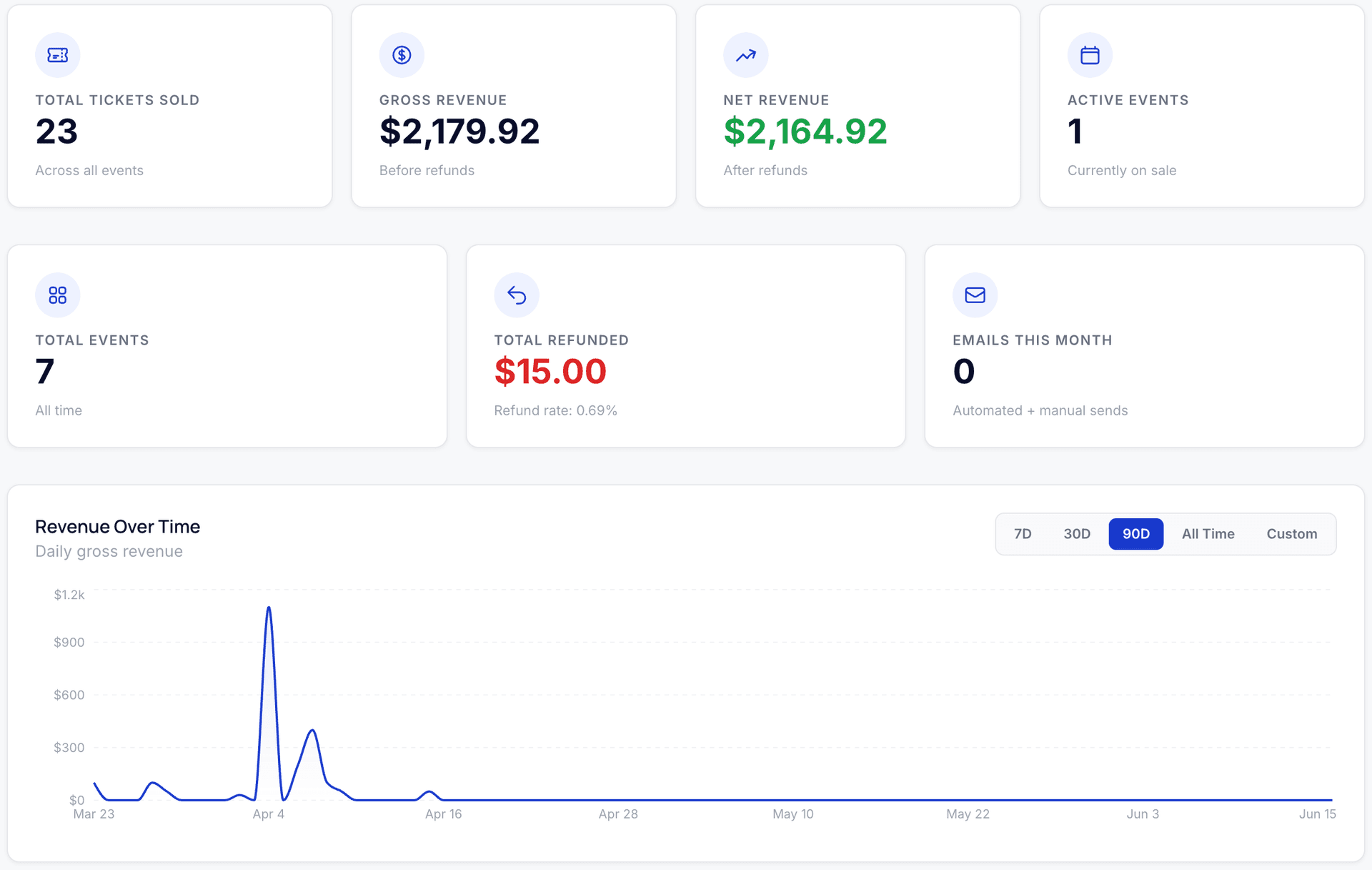
Audience dashboard
Every buyer, one view
Your audience dashboard is a deduplicated view of every person who has ever bought a ticket from you.
One record per buyer
Each person appears once, regardless of how many events they've attended or tickets they've bought. Their order count, lifetime spend, and event history are all in one place.
Lifetime spend and order history
See total spend, number of orders, and which events each buyer has attended, across your entire event history, not just one event.
Searchable by name or email
Find any buyer instantly. Search by name or email address.
Always up to date
The dashboard updates after every purchase. Export immediately after an event closes to capture the full attendee list.
CSV export
Export your list, anytime
Click Export and download your full audience as a CSV. No approval required, no restrictions. The export includes buyer name, email, order details, ticket type, event, check-in status, and more. Your data is yours.
16 columns included
Buyer name, buyer email, attendee name, event, ticket type, order ID, amount paid, promo code used, check-in status, and more.
Email integrations
Sync to your email tool automatically
Connect Kit and new buyers are added to your list the moment a purchase confirms. No manual imports, no CSV uploads, no lag.
Kit (formerly ConvertKit)
Buyers sync with first name, last name, and custom fields for event and ticket type. Works with tags and automations you've already built.
What syncs
- ✓Buyer name (split into first and last name automatically)
- ✓Buyer email
- ✓Event title (as a tag)
- ✓Ticket type (as a tag)
- ✓Free ticket orders sync the same as paid orders
What doesn't sync
- –Refunded orders: removed buyers are not automatically unsubscribed (manage list hygiene in your email tool)
- –Per-ticket attendee names: only the buyer (the person who completed checkout) syncs
Custom email sending
Send from your own domain
By default, Equaticket sends ticket confirmations from noreply@mail.equaticket.com. With BYO Email (available on paid plans), you can send from your own domain, so buyers see tickets@yourvenue.com instead.
- ·Connect your own Resend account and sending domain
- ·All transactional emails (confirmations, reminders, refunds) route through your account
- ·Your email cap still applies. BYO email changes the sender identity, not the volume limits
GDPR compliance
GDPR-ready data erasure
If a buyer requests deletion of their personal data, you can process the request directly from your dashboard, no support ticket, no waiting. Erasure anonymizes the buyer's record across all orders and tickets, permanently.
- ·Find the buyer by name or email in your audience dashboard
- ·One-click erasure, owner and admin roles only
- ·Financial records are retained for accounting compliance; identifying information is removed
- ·You are the data controller for your attendees. Equaticket does not accept direct buyer deletion requests.
Platform comparison
Platforms that hold your audience hostage
| Equaticket | Eventbrite | |
|---|---|---|
| Export your full attendee list | Always, no restrictions | Varies by plan |
| Attendee data used to market other events | Never | Yes, your event listed alongside competitors |
| GDPR erasure via your dashboard | Yes, one-click, no support ticket | Organizer-dependent |
Equaticket has no marketplace. Your attendees are not visible to other organizers or used to promote other events. Full comparison →


Own your audience from day one.
Start free. No credit card required, 50 tickets free every 30 days.
Create your accountNo credit card required. Cancel anytime. No contracts.